NavisWorks – SearchSet’s

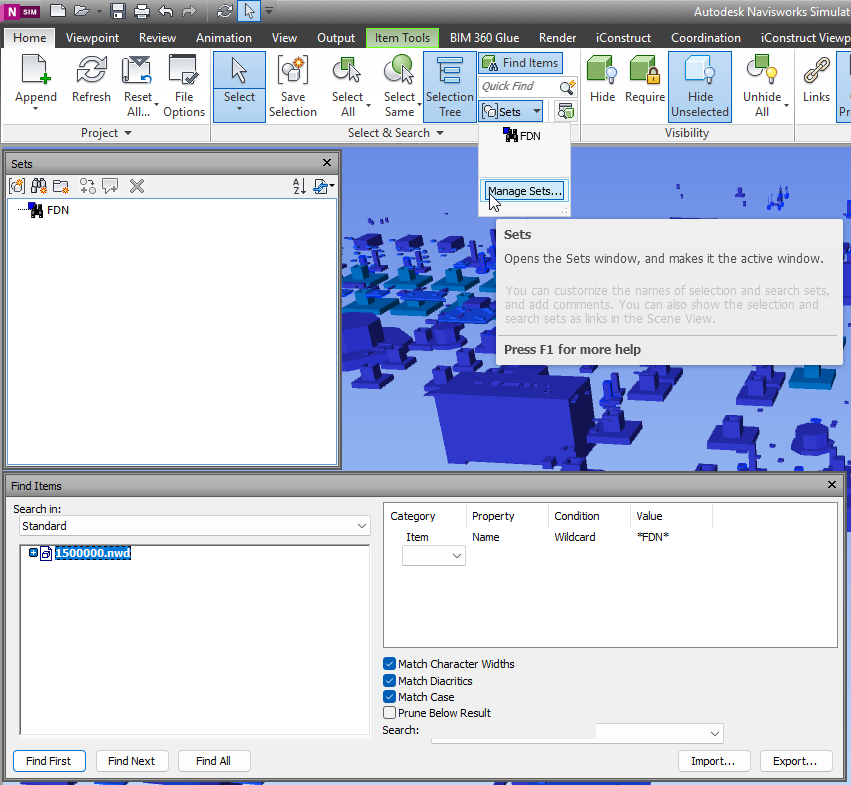
With NavisWorks Simulate and Manage you can use Find Items panel to search across details. Usual flow – is to identify Category and properites which allow to find right element. Then design the query. If query is correct – you can proceed with result, if not you can adjust query. When you query is perfect, and for some reason you may need it again – sets are desinged to help you.

When you get collection of search sets – it might be userfull to export it and use same set with another NavisWorks models. So lets dive deeper it this matter.
NavisWorks Search Sets

Continue reading

3D model at construction site

How was the 3D model created?

For industrial area common practice is to make an EPCI tender. Where E – means Engineering, which includes FEED study.

Rough 3D model appears at FEED study to help briefly estimate expenses, clarify technical details, define approximate facility layout.

When Final Investment Decision is made – Engineering start to model facility with all details.
Basically, 3D model is a product of engineering processes, as well as drawings, take off quantities, and specifications.

Industrial area 3D model for construction activities

Who uses 3D model in Construction?

Continue reading