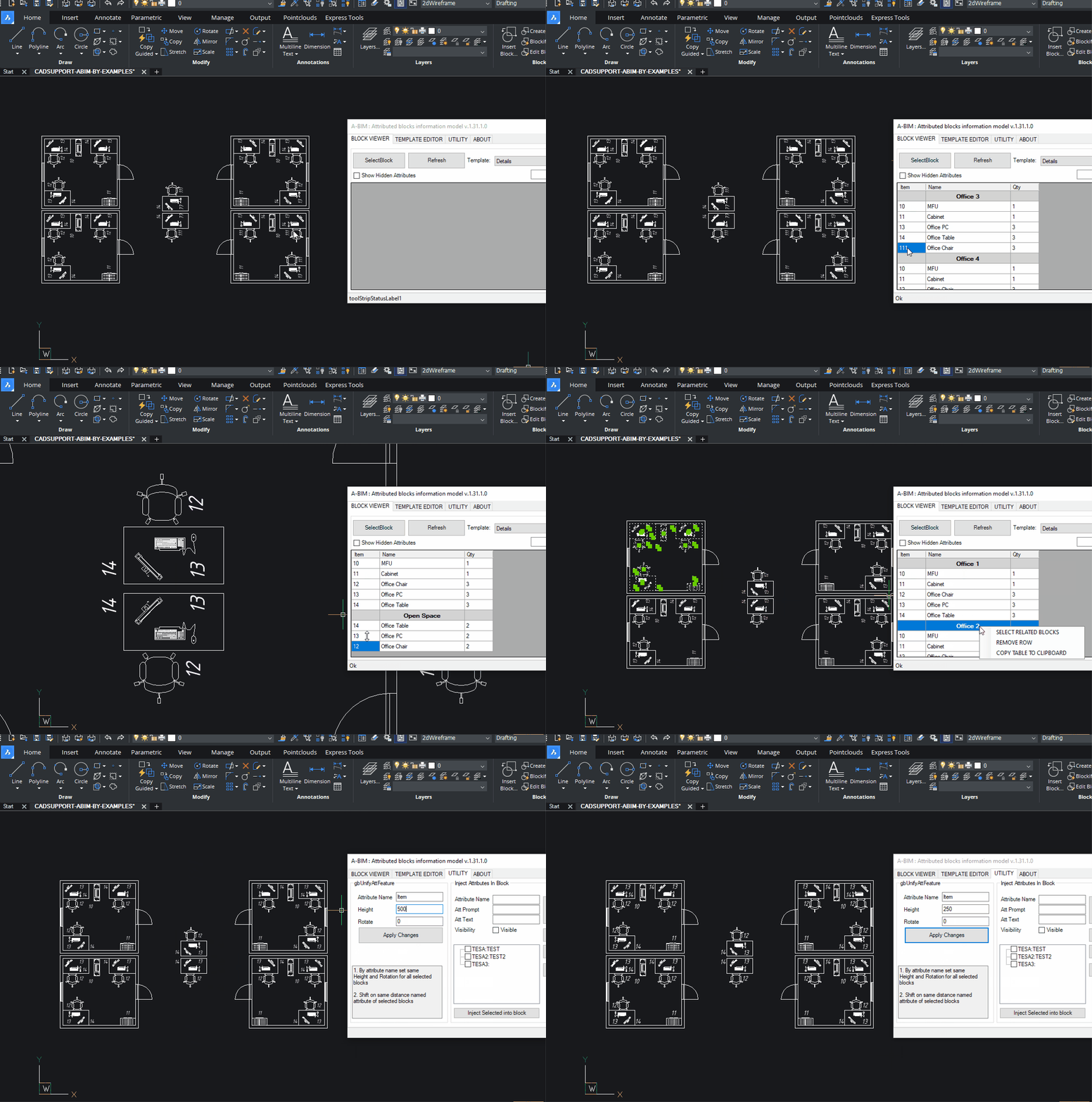
A design pattern for 2D/3D CAD engineering, where meaningful elements are created as blocks with defined attributes.
With this approach, each item in a drawing is not merely a collection of lines and circles—it becomes an object containing both graphical and meta information.
ABIM is intended to save time for engineers on projects that are either not significant enough or not specifically suited for full BIM modeling. This includes various types of diagrams and plans such as:
- P&ID (Piping and Instrumentation Diagrams)
- Small HVAC layouts
- Piping, electrical, automation and technology plans and diagrams
- Melioration and agricultural projects
These can be created in 2D or 3D, whenever it is more cost-effective, faster, or more practical to design using traditional CAD systems.
ABIM allows the engineer to focus on the model itself, while all related schedules, tables, and documentation are automatically generated as derivative products of the block model.
Key Features
Based on predefined Templates
Order and sort as you expected, 1, 2, 17, 21 (other apps is 1,17,2,21)
Group, subgroup and etc. aggregation
Block arrays, infinite nested blocks,
Dynamic blocks with visibilities (visibility is attribute as well)
Easy to manage template editor with filters
Aggregate by concatenation.
Dynamic props considered as attributes
Edit group attributes values in table at once
Unify block instance attribute
Select blocks and groups in model from table
Export and import of templates
Attributes injection to blocks